Introduction
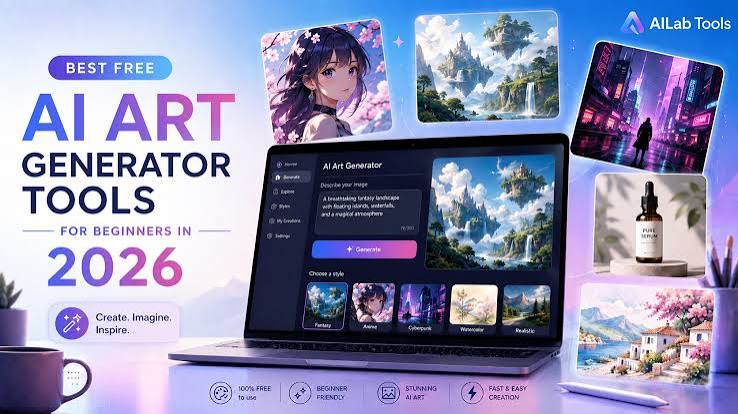
Starting your creative journey has never been easier. Thanks to modern technology, there are countless artist tools available for beginners, whether you enjoy sketching, digital painting, graphic design, or illustration. From traditional pencils and sketchbooks to powerful digital software, the right equipment can help you improve your skills and bring your ideas to life.
In 2026, artists have more options than ever before. Many companies offer free versions of their software, while premium tools provide advanced features for professionals and serious hobbyists. The best part is that you don’t need to spend hundreds of dollars to create amazing artwork. Many of the artist tools for beginners deliver professional-quality results without the heavy price tag.
In this guide, we’ll explore the artist tools for beginners in 2026, including both free and paid options. Whether you’re a student, hobbyist, or aspiring professional, these tools will help you start your artistic journey with confidence.
Why Choosing the Right Artist Tool Matters
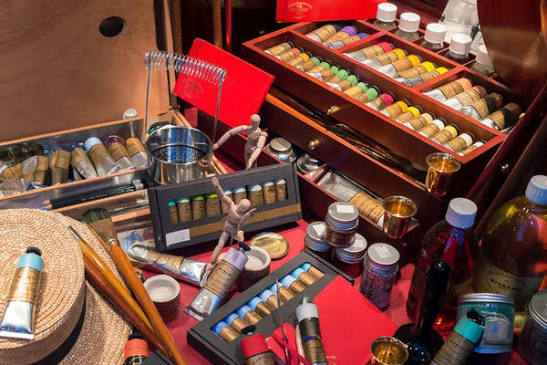
Using the right artist tool makes learning easier and more enjoyable. Beginners often struggle because they choose software or equipment that is too complicated.
A beginner-friendly artist tool should offer:
- Easy-to-use interface
- Affordable pricing
- Helpful tutorials
- High-quality brushes
- Layer support
- Compatibility with multiple devices
- Regular updates
The right tool allows you to focus on creativity instead of learning complicated controls.
(Best Free Digital Painting Tool)
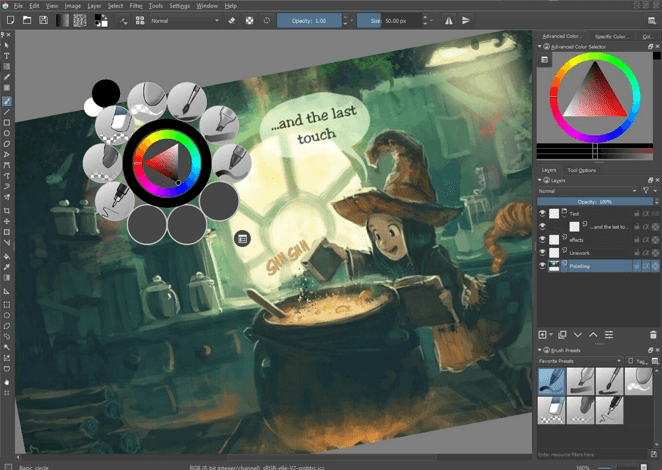
Krita remains one of the most popular free artist tools in 2026. Designed specifically for digital artists, it offers professional painting features without requiring a subscription.
Key Features
- Hundreds of customizable brushes
- Advanced layer management
- Brush stabilizer
- Animation support
- PSD file compatibility
- Open-source software
Pros
- Completely free
- Excellent for beginners
- Regular community updates
- Professional-quality results
Cons
- Learning advanced features takes time
- Mobile version is limited
Krita is ideal for anyone who wants professional digital painting software without spending money.
Procreate (Best for iPad Users)
Price: Paid (One-time purchase)
Procreate continues to dominate the digital art world. It is perfect for beginners who own an iPad and Apple Pencil.
Features
- Intuitive interface
- Thousands of brush options
- Fast performance
- Time-lapse recording
- High-resolution canvas
Pros
- Extremely beginner-friendly
- No subscription
- Excellent brush engine
Cons
- Only available on iPad
Many professional illustrators started learning with Procreate because it combines simplicity with powerful creative tools.
Adobe Fresco
Price: Free & Premium
Adobe Fresco offers realistic painting and drawing experiences using live brushes that simulate watercolor and oil paints.
Features
- Live watercolor brushes
- Vector drawing
- Cloud synchronization
- Photoshop compatibility
Pros
- Free version available
- Professional features
- Works on Windows and iPad
Cons
- Premium version unlocks additional features
Adobe Fresco is an excellent artist tool for beginners who may eventually transition to Adobe Photoshop.
Canva
Price: Free & Pro
Although Canva is mainly known for graphic design, it has become a useful artist tool for beginners creating digital illustrations, posters, and social media graphics.
Features
- Drag-and-drop editor
- AI-powered design tools
- Thousands of templates
- Stock photos
- Easy collaboration
Pros
- Very easy to use
- Great for beginners
- Huge design library
Cons
- Limited illustration tools compared to painting software
Canva is perfect for artists interested in design rather than traditional painting.
Clip Studio Paint
Price: Paid
Clip Studio Paint is one of the best artist tools for comic creators, manga artists, and illustrators.
Features
- Professional brushes
- Perspective rulers
- Comic panel tools
- 3D reference models
- Animation support
Pros
- Excellent drawing experience
- Powerful illustration tools
- Large online community
Cons
- Subscription for some versions
If your goal is creating comics or manga, Clip Studio Paint is worth the investment.
Sketchbook
Price: Free
Sketchbook remains one of the easiest artist tools for complete beginners.
Features
- Clean interface
- Smooth pencil brushes
- Layer support
- Perspective guides
Pros
- Free
- Lightweight
- Beginner-friendly
Cons
- Fewer advanced features
Sketchbook is perfect for learning digital drawing fundamentals.
Traditional Artist Tools Every Beginner Needs
Digital tools are excellent, but traditional supplies still play an important role.
Essential beginner supplies include:
- Graphite pencils
- Colored pencils
- Sketchbook
- Eraser
- Sharpener
- Fineliner pens
- Watercolor set
- Paint brushes
- Acrylic paints
- Blending stumps
Practicing on paper helps improve hand control and drawing accuracy.
Free vs Paid Artist Tools
Choosing between free and paid software depends on your goals.
Free Artist Tools
Advantages
- No cost
- Great for learning
- Active communities
- Frequent updates
Best Options
- Krita
- Sketchbook
- Adobe Fresco Free
- Canva Free
Paid Artist Tools
Advantages
- Advanced features
- Better customer support
- More brushes
- Cloud storage
- Professional workflow
Best Options
- Procreate
- Clip Studio Paint
- Adobe Creative Cloud
Beginners can confidently start with free tools and upgrade only when necessary.
Tips for Choosing the Best Artist Tool
Before selecting software or equipment, consider the following:
- Define your artistic goals.
- Check your budget.
- Ensure your computer or tablet meets system requirements.
- Watch tutorial videos before purchasing.
- Try free trials whenever possible.
- Join online artist communities for support.
The best artist tool is the one you enjoy using consistently.
How Beginners Can Improve Faster
Having the best software is only part of becoming a better artist.
Practice these habits:
- Draw every day.
- Study anatomy and perspective.
- Copy master artworks for learning.
- Watch online tutorials.
- Experiment with different brushes.
- Accept mistakes as part of learning.
- Build a portfolio of your progress.
Consistency matters more than expensive software.
Final Thoughts
Finding the right artist tool in 2026 is easier than ever. Whether you prefer free software like Krita and Sketchbook or premium options such as Procreate and Clip Studio Paint, there is a solution for every budget and skill level.
Beginners should focus on learning the fundamentals rather than chasing expensive software. Start with a free artist tool, practice regularly, and upgrade only when your skills and creative needs grow. With dedication, patience, and the right tools, you’ll be well on your way to creating stunning digital or traditional artwork.