
Introduction
How much time do you spend every week remembering the small things that keep a home running? Managing household responsibilities can create a constant stream of decisions, but introducing a House Manager AI can completely simplify your daily routine. By combining smart tools and automation, this digital helper reduces your mental load. Paying a bill, replacing a water filter, buying detergent, checking whether the door is locked, adjusting the thermostat, or asking who is picking up the children can seem minor on their own. Together, they create a constant stream of decisions.
That is where House Manager AI becomes useful.
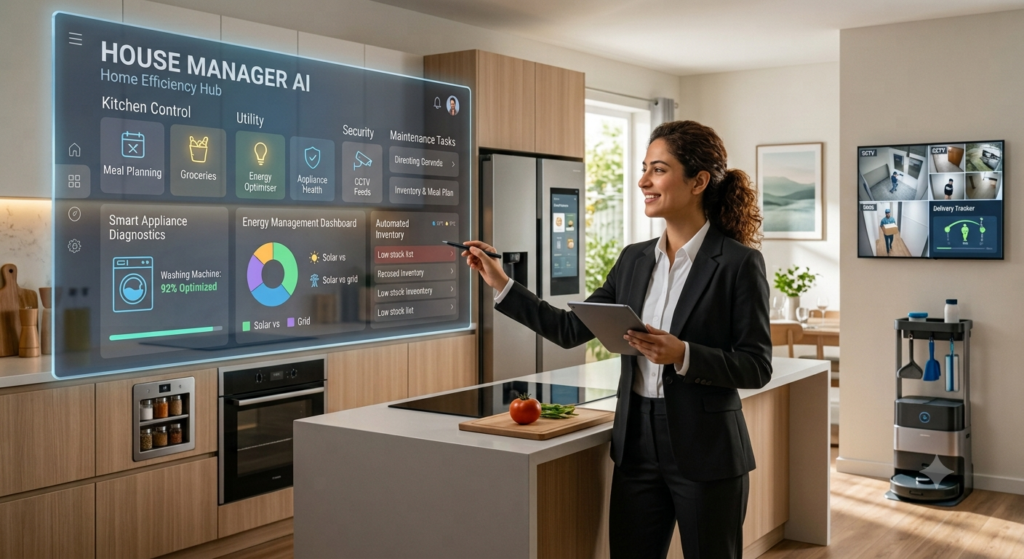
A House Manager AI is not one single robot that does every chore. It is a practical system of AI tools, smart devices, calendars, reminders, and automations that help you organize household responsibilities with less effort. Think of it as a digital coordinator for your home. It can remind you about maintenance, suggest grocery lists, monitor energy use, manage routines, and help household members stay on the same page.Smart-home technology is moving beyond turning lights on with a voice command. Modern connected-home systems can automate schedules, respond to occupancy, send alerts, and help households use energy more efficiently. The important point is not to add technology for the sake of it. The goal is to reduce mental load and make daily life feel more manageable.In this guide, you’ll learn what House Manager AI means, how it works in real homes, which tasks it can simplify, where it has limits, and how to start without buying a house full of expensive devices.
A helpful AI home system should remove decisions from your day—not create more settings to manage.
What Is House Manager AI?
House Manager AI describes software and connected devices that help coordinate household tasks. It may include a voice assistant, shared calendar, smart thermostat, robot vacuum, task app, energy monitor, or an AI chatbot that helps plan routines.
The difference between ordinary smart devices and AI home management is context. A regular timer might turn a light on at 7 p.m. An AI-powered system may consider whether anyone is home, whether daylight is still available, and whether the room is already bright enough.
This does not mean every home needs complicated automation. A useful setup can begin with three simple tools:
- A shared household calendar
- Recurring maintenance reminders
- A smart plug or thermostat with scheduling features
Actionable tip: Write down the five household tasks you forget most often. Start your AI system there rather than trying to automate everything at once.
How AI Home Management Organizes Daily Tasks
The biggest benefit of AI home management is often organization, not gadgets. Household task management can become messy when one person remembers appointments, another handles groceries, and nobody knows when the air-conditioner filter was last changed.An AI household assistant can turn scattered notes into a clearer system. For example, you can ask it to create a weekly cleaning checklist, draft a meal plan from ingredients already at home, or prepare a reminder schedule for school events and bills.
A simple workflow might look like this:
| Household Need | AI-Assisted Solution |
|---|---|
| Grocery shopping | Creates a categorized shopping list |
| Cleaning | Builds recurring room-by-room tasks |
| Bills | Sends due-date reminders |
| School routines | Adds pickup, homework, and activity reminders |
| Repairs | Tracks maintenance dates and service notes |
The value comes from consistency. Instead of relying on memory, your digital home organizer keeps a record.
Actionable tip: Create one shared “Home” calendar with separate labels for bills, maintenance, family events, and shoppi
House Manager AI and Smart Home Automation
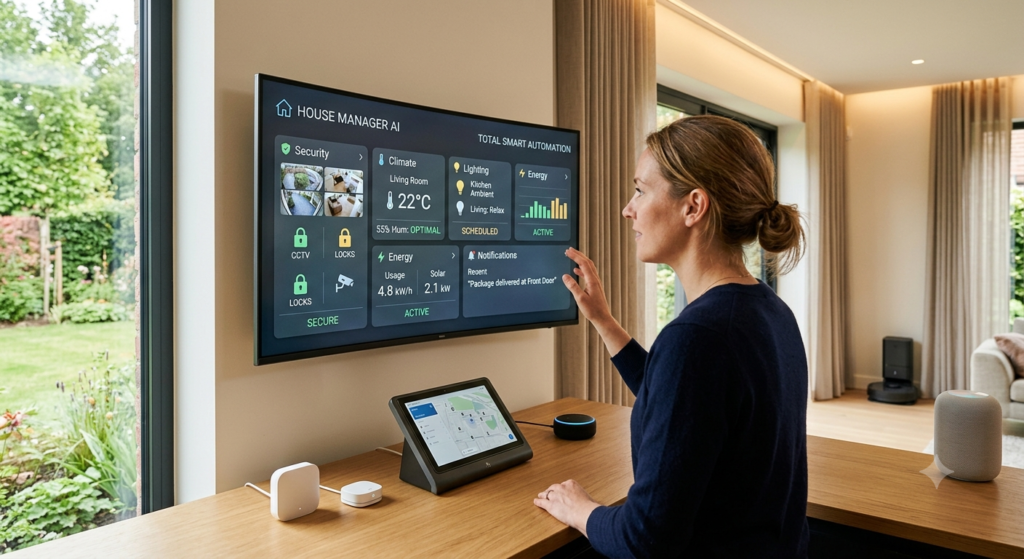
Smart home automation works best when it handles repetitive actions. Lights, fans, thermostats, plugs, and security devices can follow routines based on time, motion, temperature, or location.For instance, a connected home system can switch off selected devices when everyone leaves, turn on pathway lights after sunset, or lower cooling settings during sleeping hours. Government guidance on smart homes notes that connected devices can be controlled automatically, scheduled, and adjusted based on environmental changes.AI adds another layer by helping you create routines in plain language. Instead of learning complex rules, you might say: “Create a bedtime routine that turns off downstairs lights and reminds me to lock the back door.”Still, keep automations predictable. A home should not surprise you by turning off an appliance you need.
Actionable tip: Begin with one “Away Mode” routine that turns off nonessential lights and plugs, then test it for a week.
Saving Energy With House Manager AI
Energy bills are a major reason people explore home energy management. AI cannot magically eliminate electricity costs, but it can make waste easier to notice and reduce.Smart home systems can monitor usage, automate appliances, and schedule flexible energy use around household routines. ENERGY STAR explains that smart-home energy systems can combine devices such as smart thermostats, lighting, and controlled plug loads to help households manage consumption.Some newer systems also use predictive scheduling for high-demand appliances. For example, Schneider Electric’s AI feature for its Wiser Home platform manages water heaters and EV chargers through predictive consumption scheduling.Here is a realistic example: if your family regularly leaves fans, lights, or entertainment devices running in empty rooms, occupancy-based routines can reduce unnecessary use. The savings will depend on your electricity tariff, appliance type, and habits.
Actionable tip: Check your electricity use for seven days before automating anything. Then choose one high-use appliance to manage more careful
Maintenance, Security, and Household Alerts
A good House Manager AI can also function as a reminder system for home maintenance. Many expensive household problems begin as small, ignored issues: a leaking pipe, a blocked filter, a door left unlocked, or an appliance showing unusual behavior.
Useful reminders include:
- Replacing water and air filters
- Testing smoke alarms
- Booking seasonal AC service
- Checking appliance warranties
- Reviewing security camera notifications
- Monitoring unusual energy or water use
Smart devices can send performance alerts before problems become larger. ENERGY STAR notes that connected products can provide alerts about performance issues and can adjust usage based on occupancy.
However, security alerts should be configured carefully. Too many notifications lead people to ignore them.
Actionable tip: Keep only high-priority alerts on your phone, such as water leaks, smoke alarms, door locks, and unusual motion.
How Families Can Use an AI Household Assistant
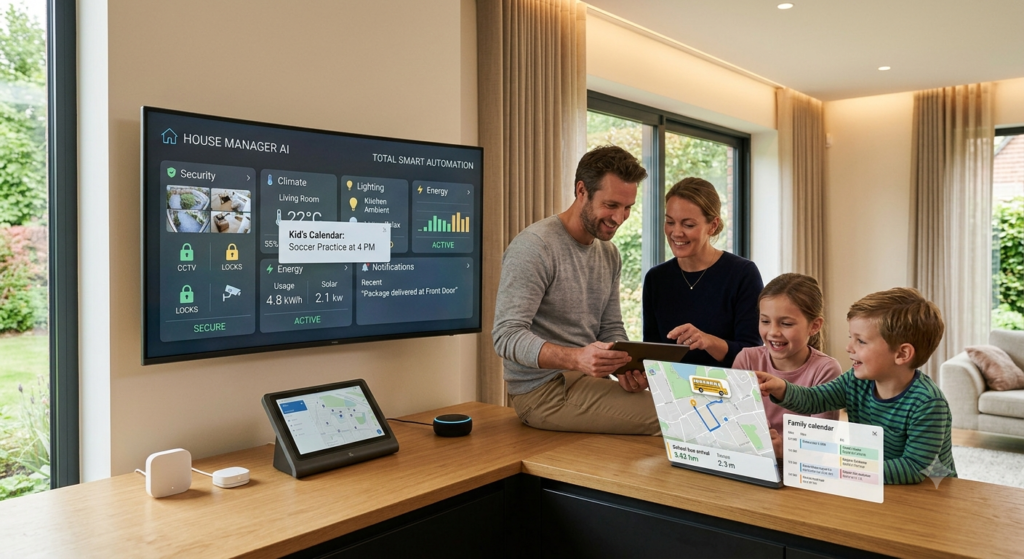
For families, an AI household assistant can reduce the invisible work of coordinating people. It can help create routines for mornings, school, meals, chores, and appointments.Try assigning ownership rather than creating one long task list. One person may manage laundry, another groceries, and another pet care. AI can then send the right reminder to the right person.A practical family setup could include a shared display or calendar, a weekly meal plan, and a Sunday evening reminder to review the week ahead. The system should support conversations, not replace them.
Actionable tip: Hold a 10-minute weekly household check-in and use AI to turn the discussion into a task list.
Privacy, Limits, and Getting Started Safely
Smart-home convenience should never come before privacy. Devices may collect information about schedules, voice commands, movement, and energy use. A 2025 NIST survey of 401 smart-home users found that privacy and security perceptions vary by device category, with voice assistants raising particular concerns for participants.Before choosing a platform, review its privacy controls, account security, and data-sharing options. Use strong unique passwords and enable two-factor authentication where available.Also remember that AI can misunderstand requests. It may suggest a routine that does not fit your home or create reminders with incorrect details. Review important automations before relying on them.
Actionable tip: Start with low-risk automations, such as shopping reminders or lights, before connecting locks, cameras, or major appliances.
Conclusion
House Manager AI is not about making your home feel overly technical. It is about making ordinary household management easier. The best systems are simple, reliable, and built around your real routines.
Key takeaways:
- House Manager AI reduces mental load by organizing reminders, schedules, and recurring tasks.
- Smart home automation works best for repetitive actions, not every decision.
- AI home management can support energy awareness through monitoring and scheduling.
- Maintenance reminders can prevent small issues from becoming costly problems.
- Privacy and security settings should be part of your setup from day one.
Start small. Choose one frustrating household task, create one automation or reminder, and see whether it improves your week. Over time, your AI home system can become a practical digital helper rather than another app demanding attention.Which household task would you most like House Manager AI to handle first? Share your answer in the comments and compare ideas with other readers.
FAQs About House Manager AI
Q1: What is House Manager AI?
House Manager AI is a combination of AI tools, smart devices, calendars, and automations that helps manage household tasks, routines, reminders, and connected-home features.
Q2: Can House Manager AI save money?
It can help identify waste and improve home energy management through schedules, monitoring, and smarter use of connected devices. Actual savings depend on your home, habits, and electricity rates.
Q3: Do I need expensive devices to use an AI household assistant?
No. You can begin with a shared calendar, a task-management app, and recurring reminders. Smart devices can be added later if they solve a specific problem.
Q4: Is smart home automation difficult to set up?
Basic routines are usually simple. Start with one automation, test it, and only add more when it genuinely saves time.
Q5: Can AI manage family schedules?
Yes. AI can help create reminders, organize calendars, prepare task lists, and summarize weekly plans. Family members should still review important events together.
Q6: Is House Manager AI safe?
It can be safe when you use reputable services, strong passwords, two-factor authentication, and carefully chosen privacy settings. Avoid granting unnecessary permissions.
Conclusion
House Manager AI is not about making your home feel overly technical. It is about making ordinary household management easier. The best systems are simple, reliable, and built around your real routines.
Key takeaways:
- House Manager AI reduces mental load by organizing reminders, schedules, and recurring tasks.
- Smart home automation works best for repetitive actions, not every decision.
- AI home management can support energy awareness through monitoring and scheduling.
- Maintenance reminders can prevent small issues from becoming costly problems.
- Privacy and security settings should be part of your setup from day one.
Start small. Choose one frustrating household task, create one automation or reminder, and see whether it improves your week. Over time, your AI home system can become a practical digital helper rather than another app demanding attention.
Which household task would you most like House Manager AI to handle first? Share your answer in the comments and compare ideas with other readers.